
PS3 firmware 4.93 release information
PlayStation identifies 4.93 as the current PS3 system software on its support page. The release keeps the long-running PS3 update channel available and allows the console to obtain the latest system-level changes published by Sony. The exact release notes shown by PlayStation are the authoritative record.
This version page exists so users searching for 4.93 can confirm the number, date, filename and official destination before downloading. It deliberately does not place unofficial variants beside the official package.

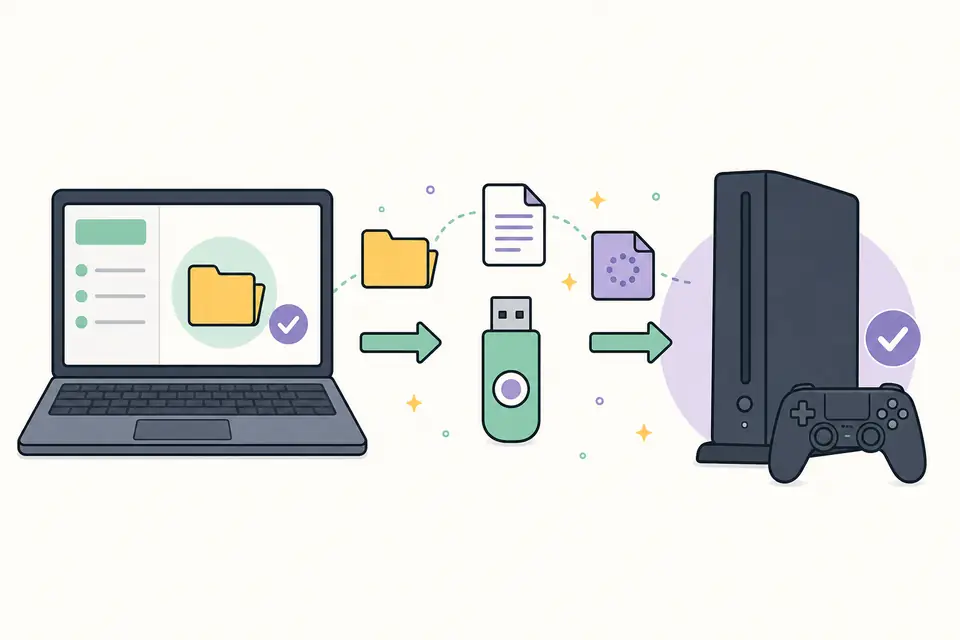
Install PS3UPDAT.PUP version 4.93 from USB
- 1
Open the PlayStation source and download the PS3 update file to a computer.
- 2
Confirm the final filename is PS3UPDAT.PUP and that the browser did not append another extension.
- 3
Create PS3/UPDATE on a FAT32 USB storage device and place the file inside UPDATE.
- 4
On the console, choose Settings, System Update and Update via Storage Media.
- 5
Verify that version 4.93 is detected, accept the official terms and do not interrupt installation.
Avoid unofficial 4.93 packages
Search results may mix official firmware with custom firmware, hybrid firmware and console modification tools. Those packages have different goals and risk profiles. A file described as CFW, HFW, HEN, patched or jailbroken is not the same product as the official PS3 system software linked here.
If a console already uses modified software, an official update can remove functionality or create compatibility problems. This site does not provide instructions for bypassing platform security. Use the official package only for a standard PS3 configuration or follow the documentation responsible for the existing configuration.
What to verify before pressing Update
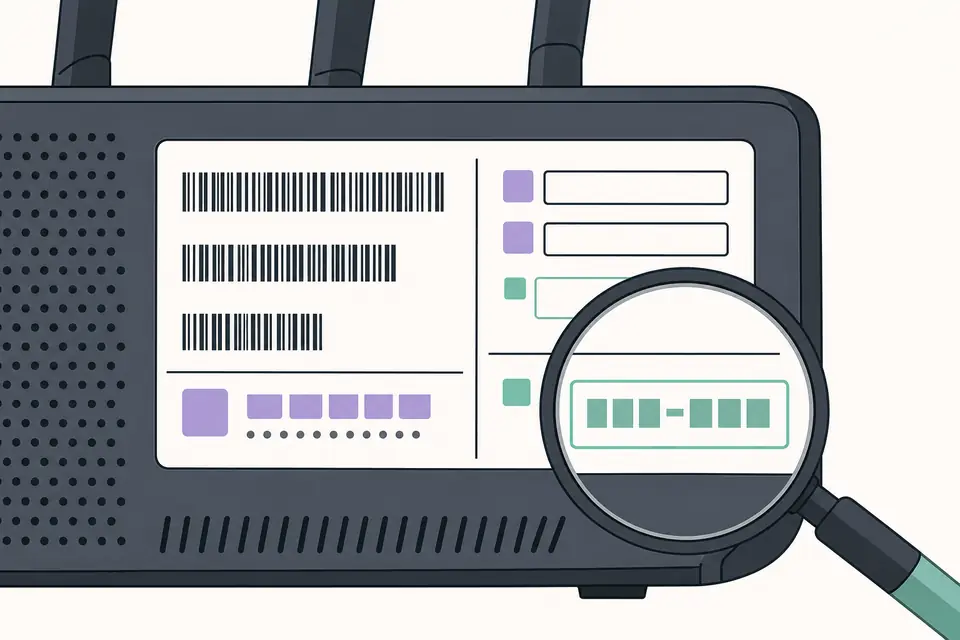
- The on-screen update version is 4.93 or a newer official release published after this page was checked.
- The file came from the PlayStation support domain shown above.
- The USB drive is readable and the folder names are uppercase.
- Important save data is backed up and the console has stable power.
- You understand whether you are performing a normal menu update or a recovery update.
Confirm the official PS3 firmware 4.93 download
The official PS3 firmware 4.93 download should begin from PlayStation Support and end with an unchanged PS3UPDAT.PUP file. Before saving it, verify that the page still names version 4.93. If Sony has released a newer standard update, follow the current first-party instructions instead of forcing an older package simply because a search result mentions 4.93. The version record on this page documents a release; it does not override the live support page.
Treat every unofficial PS3 firmware 4.93 download archive as a different product, even when its label looks familiar. Password-protected archives, executable installers, shortened links and packages advertised as patched are not the official update described here. The official PS3 firmware 4.93 download does not require a downloader application or a survey. Closing an uncertain source and returning to PlayStation is safer than comparing filenames after an unknown program has handled the package.
Diagnose a 4.93 USB detection failure
When the console cannot find update data, inspect the USB layout from the root. The device should contain PS3, then UPDATE, then PS3UPDAT.PUP. Enable filename extensions on the computer so a hidden suffix does not produce PS3UPDAT.PUP.PUP. Confirm that the storage uses a format recognized by PS3 and that the PS3 firmware 4.93 download completed before the file was copied. Eject the device cleanly after the write finishes.
When update data is detected but rejected, note whether the message says corrupted, not applicable or unavailable. Those results point to different causes: an incomplete transfer, an already installed version, or a console state that requires recovery guidance. Downloading the same unknown mirror repeatedly does not resolve those differences. Recreate the media with a fresh official PS3 firmware 4.93 download, stable storage and the exact uppercase path before considering broader hardware troubleshooting.
Understand version and rollback limits
Official console updates are designed to move a supported system forward. Do not assume that keeping a PS3 firmware 4.93 download creates a supported downgrade path. Rollback behavior depends on platform security and console state, and standard PlayStation instructions do not present this package as a general downgrade tool. If a console uses modified software, stop and consult the documentation responsible for that configuration before changing system software.
For a normal console, keep a short record containing version 4.93, the March 18, 2026 release date, the official domain and the date you installed it. If the official source changes, report the stale listing rather than uploading a replacement copy. This preserves the distinction between a verified PS3 firmware 4.93 download source and an unverified redistribution site.
After a successful update, confirm 4.93 under System Information and check that the console reaches its normal menu without another update prompt. Test a network connection and a familiar disc or application. If a problem appears, document when it began instead of immediately reinstalling. That timing helps distinguish an account, storage or network issue from the system update itself.
Maintain only the copy needed for your own recovery plan and label it with its verified source date. A file retained for months can become outdated after Sony changes the current release. Before any later use, revisit PlayStation Support and compare the live instructions. A historical version page is useful for identification, but the current manufacturer page remains the decision point for installation. Record the download source before each download, verify the download completed, and remove any partial download. A fresh official download is preferable to an unlabeled copy. Confirm the installed version on the console before closing the maintenance record.
PS3 Firmware 4.93 Download FAQ
When was PS3 firmware 4.93 released?
PS3 system software version 4.93 was released on March 18, 2026.
Is PS3 firmware 4.93 an official update?
Yes. Version 4.93 is listed on the PlayStation PS3 system software support page. Use that first-party page for the download.
Is 4.93 the same as HFW or CFW?
No. This page refers to official PlayStation system software. Hybrid firmware and custom firmware are modified packages and are not provided here.
How much free space does the PS3 update need?
PlayStation states that at least 200 MB of free space is required on the PS3 hard drive or removable storage used for the update.